
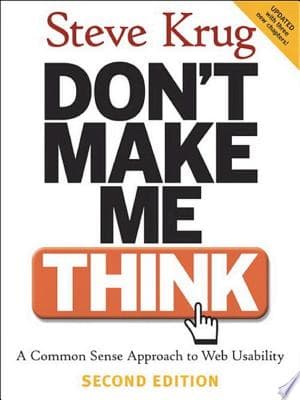
Core Idea
- Difficulty
- Easy
- Read it if
- You are a web designer, developer, product manager, or anyone involved in creating digital interfaces and want practical, no-nonsense advice on improving usability.
- Skip it if
- You are looking for deep theoretical dives into HCI or advanced psychological principles of user behavior; this book is focused on practical application.
Key Takeaways from Don't Make Me Think
Krug's First Law of Usability: Don't Make Me Think!
Users shouldn't have to decipher your interface; it should be immediately obvious.
Good web design, according to Krug, means making users think as little as possible. Each time a user has to stop and think, it causes frustration and makes them more likely to leave. This isn't about making users less intelligent; it's about respecting their time and attention. Websites should be clear, easy to use, and navigable without conscious effort. If a user needs to pause and consider an action, the design has failed. The best interaction is one where the user doesn't even notice they're using an interface, but feels like they are working directly with the information or task.
“Your goal should be to eliminate question marks. When users are looking at a Web page, they should never have to ask themselves, 'Where am I?' or 'Where do I start?' or 'What are they trying to tell me?'”
In the book: Krug frequently uses examples of poorly labeled navigation or ambiguous calls to action, contrasting them with clear, concise alternatives that require no mental processing from the user. He emphasizes that users don't 'read' web pages so much as 'scan' them for keywords and visual cues.
Try this: Conduct 'blink tests' on your designs: can a new user understand the purpose and main actions of a page within 3-5 seconds? Prioritize clear, concise labels over clever or ambiguous ones. Ensure all clickable elements look clickable and that their function is immediately apparent.
Related ideas: cognitive-load, usability-heuristics, information-scent
How Users Really Use the Web: Scanning, Satisficing, and Mismatching
Users don't read; they scan. They don't optimize; they satisfice. They don't follow your plan; they make their own.
Krug corrects the idea that users carefully read content or logically move through a site. Instead, they quickly scan pages for keywords, headings, and visual clues that match what they want to do. They don't look for the 'best' solution; they look for the 'first reasonable option' that helps them reach their goal (satisficing). Also, users often come to a site with a specific task in mind and will try to complete it using the most direct path they see, often ignoring carefully planned navigation. This 'muddling through' behavior means designers must expect different user paths and provide clear directions everywhere.
“Users don't read. They scan. They don't make optimal choices. They satisfice. They don't figure out how things work. They muddle through.”
In the book: Krug describes observing user behavior during usability tests, noting how quickly they skim content, often missing crucial information if it's not prominently displayed or easily scannable. He highlights how users jump between elements, clicking the first thing that looks promising rather than carefully evaluating all options.
Try this: Design for scanning: use clear headings, short paragraphs, bullet points, and bold text. Make sure key information is 'above the fold' or easily discoverable. Don't force users into specific paths; provide multiple ways to achieve a goal. Assume users will skip instructions.
Related ideas: user-behavior, information-architecture, scanning-patterns
Design for Forgiveness: It's Okay to Make Mistakes
Good design allows users to recover easily from errors without frustration.
Even the most intuitive interface won't stop all user mistakes. Good design handles these errors smoothly. Users should never feel stuck, confused by an error message, or unable to undo an action. Clear error messages that explain the problem and suggest a fix, visible 'undo' buttons, and clear ways to go back to a previous state are essential. This builds user confidence and reduces worry, making them more likely to keep using the site even if they make a mistake. Forgiveness is not about stopping errors, but about lessening their impact.
“We need to make it easy to recover from errors. And by 'easy,' I mean 'obvious.'”
In the book: Krug often points to the frustration users experience when they encounter cryptic error messages (e.g., 'Error 404') or when they accidentally delete something without an 'undo' option. He advocates for clear, human-readable error messages that guide the user, rather than just stating a problem.
Try this: Implement clear and actionable error messages. Provide 'undo' options for destructive actions. Ensure a prominent 'back' button or breadcrumbs are available. Test your error handling scenarios during usability testing to identify points of frustration.
Related ideas: error-handling, user-experience, undo-functionality
The Power of Convention: Don't Reinvent the Wheel
Leverage established web conventions to reduce user learning curves and increase familiarity.
While designers often want to be unique, Krug argues that the web is not the place for too much originality in basic interface elements. Users expect things to work like they do on other sites. Changing common patterns (e.g., a logo in the top left, underlined links, a shopping cart icon for online stores) forces users to relearn basic actions, which goes against the 'Don't Make Me Think' rule. Conventions work well because they are invisible; users automatically know what to do without thinking. New ideas should be saved for solving real user problems, not for changing widely understood UI patterns.
“Innovate when you have a really good idea, but otherwise, just follow the conventions.”
In the book: Krug consistently highlights common web patterns like global navigation at the top, search bars in the header, and 'contact us' links in the footer. He explains how users automatically look for these elements in expected places, and how their absence or unconventional placement creates immediate confusion.
Try this: Stick to common web conventions for navigation, search, links, and forms. Use familiar icons. Only deviate from conventions if you have a demonstrably better, more intuitive solution that has been thoroughly user-tested. Prioritize usability over 'coolness.'
Related ideas: design-patterns, user-expectations, mental-models
Usability Testing Doesn't Have to Be Hard (or Expensive)
Even a small, informal usability test can yield profound insights.
Krug strongly supports regular, informal usability testing, challenging the idea that it needs many resources or a special lab. He says that even testing with three users, once a month, can find 85% of big usability problems. The main point is to watch real users try to do real tasks on your site, without offering help. The insights from watching even a few users struggle can be very valuable, showing design flaws that internal teams, who are too familiar with the product, might never notice. It's about getting outside, unbiased views early and often.
“Testing one user is 100 percent better than testing none. Testing one user early in the project is better than testing 50 near the end.”
In the book: Krug details a simplified usability testing process: recruit three users, give them realistic tasks, shut up and observe, identify the top three problems, and fix them. He emphasizes that you don't need a perfect cross-section of users; almost anyone outside your team will reveal issues.
Try this: Start small: recruit 3-5 people (friends, family, colleagues not involved in the project). Give them 3-5 realistic tasks to complete on your site. Observe silently and take notes on where they struggle. Focus on fixing the most critical issues first. Make testing a regular habit.
Related ideas: usability-testing, user-research, lean-ux
The Importance of Clear Visual Hierarchy
Visually guide users to the most important elements on the page.
A well-designed page uses visual cues to show importance and connections, making it easy to scan. Larger fonts, bolder text, different colors, plenty of empty space, and grouping related items all help create an easy-to-understand layout. Users should quickly see what is most important, what is a heading versus body text, and what parts they can interact with. Without a clear visual hierarchy, pages become a mess of information, forcing users to carefully read every element, which directly goes against the 'Don't Make Me Think' rule. It's about making a clear path for the eye.
“By making things that are related to each other visually related, and things that are not related to each other visually unrelated, you can make your pages much easier to scan and understand.”
In the book: Krug illustrates this with 'before and after' examples of web pages, showing how breaking up large blocks of text, using distinct headings, and utilizing whitespace dramatically improves readability and scannability, making it easier for users to find what they need.
Try this: Use distinct heading levels (H1, H2, H3) to structure content. Employ whitespace to separate unrelated elements and group related ones. Use color and contrast to highlight important calls to action or interactive elements. Ensure text is legible and line lengths are appropriate.
Related ideas: visual-design, information-hierarchy, gestalt-principles
Accessibility as Common Courtesy
Designing for accessibility isn't just compliance; it's about being inclusive and thoughtful.
Krug sees web accessibility not as a difficult rule, but as a basic part of good design and politeness. Just as you wouldn't block a wheelchair ramp, you shouldn't create digital barriers for users with disabilities. Making a site accessible helps everyone, not just those with impairments. For example, good alt text for images helps screen readers and users with slow internet. Clear captions help people with hearing problems and those watching videos in loud places. Prioritizing accessibility means designing for all kinds of human abilities and situations, leading to a stronger, more usable product for everyone.
“Accessibility is not a special case. It's just good design.”
In the book: Krug discusses the practical benefits of well-implemented accessibility features, such as clear semantic HTML for screen readers, keyboard navigation, and adequate color contrast, explaining how these improve the experience for a wide range of users, not just those with diagnosed disabilities.
Try this: Use semantic HTML correctly. Provide descriptive alt text for images. Ensure proper color contrast. Enable full keyboard navigation. Include captions/transcripts for media. Test your site with screen readers or accessibility tools.
Related ideas: web-accessibility, inclusive-design, universal-design
The Myth of the 'Average User'
Design for how users actually behave, not for an idealized, rational user.
One of the most risky assumptions designers make is that users will act logically, read instructions, or use a site exactly as planned. Krug stresses that there is no 'average user' in the sense of an ideal, patient, and logical person. Instead, users are usually in a hurry, easily distracted, and will choose the easiest path. They often 'figure things out' rather than thinking logically, and they prefer immediate results over understanding the system. Designing for this reality, instead of for a theoretical perfect user, is key to creating truly usable experiences.
“Users are not like you. They are not like your boss. They are not even like your mother. They are busy, easily distracted, and often overwhelmed.”
In the book: Krug's entire book is built upon observations of real user behavior during usability tests, repeatedly showing how users deviate from expected paths, miss obvious cues, and make 'illogical' choices when presented with even minor friction.
Try this: Stop trying to teach users how to use your site. Instead, design it so intuitively that they don't need to be taught. Assume users will scan, skip, and make mistakes. Base design decisions on observed user behavior, not on internal assumptions or logical deductions.
Related ideas: user-personas, user-psychology, design-for-behavior
Get Rid of Half the Words on Every Page
Conciseness improves scannability and reduces cognitive load.
Web users don't read; they scan. Long, dense paragraphs of text are immediately overwhelming and often ignored. Krug's strong advice is to cut unnecessary words, focusing on clear, short, and effective language. This isn't about simplifying content too much, but about making it best for how people read online. Shorter sentences, bullet points, and clear headings make content easier to absorb, letting users quickly find the information they need without getting stuck. Every word that isn't essential could be a barrier to understanding.
“Get rid of half the words on each page, then get rid of half of what’s left.”
In the book: Krug consistently redesigns text-heavy examples, showing how reducing word count by 50% or more, combined with better formatting, drastically improves a page's usability and scannability. He argues that users simply won't read long explanations online.
Try this: Review your content and aggressively cut unnecessary words, sentences, and paragraphs. Prioritize clear, direct language. Use bullet points and numbered lists. Write compelling, informative headings that convey the essence of the following content. Assume users will only read the first few words of any sentence.
Related ideas: content-strategy, microcopy, web-writing
It's Not About You: Surviving Executive Design Whims
Advocate for user-centered design by grounding decisions in usability principles, not personal taste.
Designers often face challenges from people like stakeholders, bosses, or clients whose design preferences clash with good usability. Krug offers practical advice for these situations, pointing out that the 'Don't Make Me Think' rule is about objective user experience, not personal taste. The best way to counter subjective opinions is with objective proof, especially from usability testing. Basing design decisions on user needs and observed behavior, rather than just 'what looks good,' provides a stronger, more defensible argument and can help teach stakeholders the value of user-centered design.
“The people who hire you usually have strong opinions about design, and they're usually wrong.”
In the book: Krug dedicates a chapter to dealing with 'Help! My boss wants me to ______.' scenarios, providing scripts and strategies for politely but firmly pushing back on poor design decisions by referencing the core usability principles and the results of user tests.
Try this: When facing design pushback, frame your arguments around user behavior and usability principles (e.g., 'this makes users think too much'). Conduct small usability tests to gather evidence. Educate stakeholders on how users actually interact with websites. Focus on explaining the 'why' behind your design choices.
Related ideas: stakeholder-management, design-advocacy, user-centered-design
Don't Make Me Think Quotes
“Don't make me think!”
“It doesn't matter how many times I have to click, as long as each click is a mindless, unambiguous choice.”
“Get rid of half the words on each page, then get rid of half of what's left.”
“Happy users don't make mistakes.”
“Web users don't read, they scan.”
“Your job is to make it self-evident.”
“Usability testing: Test early and often.”
“The home page is the most important page on your site.”
“Good will is a finite resource.”
“When you're designing, you're not designing for yourself, you're designing for your users.”
“Consistency is one of the most powerful forces in the universe of usability.”
“People are creatures of habit. They like things to be familiar.”
“Searching is often the first choice, even when there are perfectly good navigation options.”
“Don't waste my time.”
Quiz
10 questions on the main ideas. Each answer comes with a short explanation.
Question 1
According to Steve Krug, what is the 'First Law of Usability'?
- Users will always find the best path if given enough time.
- Don't Make Me Think.
- Every page should be self-evident.
- Consistency is key to user satisfaction.
Show answer
B. Don't Make Me Think. The core principle of the book, and the first law of usability according to Krug, is 'Don't Make Me Think.' This emphasizes that users shouldn't have to expend mental effort to understand how a website works.
Question 2
What analogy does Krug use to describe how users typically navigate the web?
- Like a detective meticulously searching for clues.
- Like a scientist conducting a controlled experiment.
- Like a shark, constantly moving forward and looking for food.
- Like an architect carefully planning a structure.
Show answer
C. Like a shark, constantly moving forward and looking for food. Krug famously states that users don't read, they scan. He compares their behavior to a shark, constantly moving and looking for what they need, rather than carefully analyzing everything.
Question 3
What is one of the primary reasons Krug gives for why people really leave websites, as discussed in one of the new chapters?
- Too much advertising.
- Slow loading times.
- Lack of common courtesy.
- Outdated content.
Show answer
C. Lack of common courtesy. One of the new chapters is titled 'Usability as common courtesy – Why people really leave Web sites.' Krug argues that many usability issues boil down to a lack of consideration for the user, which he frames as common courtesy.
Question 4
Krug strongly advocates for the use of 'self-evident' pages. What does he mean by a page being self-evident?
- The page uses cutting-edge design trends.
- Its purpose is obvious, and it's clear how to use it without explanation.
- It provides extensive help documentation on the page itself.
- The page loads extremely quickly.
Show answer
B. Its purpose is obvious, and it's clear how to use it without explanation. A self-evident page, in Krug's view, means that at a glance, users should understand what the page is about and how to interact with it, without having to think or decipher its meaning.
Question 5
When designing navigation, what is Krug's advice regarding the number of clicks a user needs to reach their destination?
- The fewer clicks the better, ideally no more than two or three.
- It doesn't matter how many clicks, as long as each click is a 'mindless' choice.
- Five clicks is the absolute maximum before users get frustrated.
- Clicks should be minimized by putting all content on a single page.
Show answer
B. It doesn't matter how many clicks, as long as each click is a 'mindless' choice. Krug famously states that the number of clicks doesn't matter as much as the *effort* involved in each click. If each click is a 'mindless', obvious choice, users don't mind a few extra clicks.
Question 6
What does Krug suggest is the most important thing to get right on a homepage?
- A visually stunning hero image or video.
- A clear, concise, and compelling site ID and tagline.
- Links to all the latest news and promotions.
- An interactive search bar with advanced filtering options.
Show answer
B. A clear, concise, and compelling site ID and tagline. Krug emphasizes the importance of a clear Site ID (logo) and a tagline that immediately tells users what the site is, why they should be there, and what they can do. This helps them orient themselves quickly.
Question 7
In the context of 'Web Accessibility, CSS, and you,' what is Krug's primary message regarding web accessibility?
- Accessibility is a legal requirement that should be addressed by legal teams.
- Accessibility is largely about good usability and common sense design practices.
- Full accessibility is too complex and expensive for most websites.
- Accessibility tools and software can fully automate compliance.
Show answer
B. Accessibility is largely about good usability and common sense design practices. Krug frames accessibility not as an esoteric technical challenge, but as an extension of good usability principles and common courtesy, making sites usable for everyone.
Question 8
What is Krug's advice for dealing with 'executive design whims' as mentioned in one of the new chapters?
- Implement all executive suggestions to maintain harmony.
- Politely explain why their ideas are technically impossible.
- Conduct quick, inexpensive usability testing to show the impact of changes.
- Ignore the whims and build the site correctly anyway.
Show answer
C. Conduct quick, inexpensive usability testing to show the impact of changes. The chapter 'Help! My boss wants me to ______. -- Surviving executive design whims' suggests that the best way to counter ill-advised design requests is to conduct quick, informal usability tests to demonstrate the actual user experience.
Question 9
Which of the following best describes Krug's stance on comprehensive user manuals or extensive 'Help' sections on websites?
- They are essential for complex applications and should be prominently featured.
- They indicate a failure in design, as a well-designed site should be self-explanatory.
- They are a good supplementary resource, but not a primary navigation tool.
- They are primarily for legal disclaimers and terms of service.
Show answer
B. They indicate a failure in design, as a well-designed site should be self-explanatory. Krug argues that if a site requires a user manual or extensive 'Help' to be understood, it means the design has failed in its primary goal of being self-evident and easy to use. Users shouldn't have to think.
Question 10
What is the primary benefit of 'eyeball tracking' or scanning, according to Krug, for web users?
- It allows users to appreciate the aesthetic beauty of the design.
- It helps users quickly find the information they are looking for without reading everything.
- It provides a more immersive and engaging experience.
- It ensures users process every piece of content on the page.
Show answer
B. It helps users quickly find the information they are looking for without reading everything. Users scan because they are often in a hurry and looking for something specific. Scanning allows them to quickly identify relevant sections or links and skip over irrelevant information, making their experience more efficient.
Don't Make Me Think FAQ
What is the core principle of 'Don't Make Me Think'?
The book's core principle is that web interfaces should be so intuitive and self-explanatory that users don't have to expend mental effort figuring out how to use them. It advocates for clear navigation and straightforward design to enhance user experience.
Does user testing really work for improving website usability?
Yes, the book strongly emphasizes that even simple, informal user testing with a few participants can reveal significant usability issues. Observing real users interacting with a site is crucial for identifying pain points and areas for improvement.
What is 'usability as common courtesy' as described in the book?
'Usability as common courtesy' refers to the idea that designing a usable website is essentially about showing respect for your users' time and effort. It means making things easy for them, anticipating their needs, and avoiding unnecessary frustrations.
How is 'Don't Make Me Think' different from other comprehensive UX design textbooks?
Unlike more academic or exhaustive UX textbooks, 'Don't Make Me Think' is known for its concise, practical, and humorous approach. It focuses on fundamental usability principles that can be immediately applied, rather than delving into complex theories or methodologies.
How can I convince my boss to prioritize usability based on the book's advice?
The book provides strategies for navigating executive design whims, often by demonstrating the practical benefits of usability through quick tests and showing how poor usability negatively impacts business goals like conversions or user retention.
What role does web accessibility play according to Steve Krug?
Steve Krug integrates web accessibility as a fundamental aspect of good usability, emphasizing that accessible design practices (like proper use of CSS and semantic HTML) not only benefit users with disabilities but also improve the overall experience for all users.
Is 'Don't Make Me Think' still relevant for modern web design practices?
Absolutely. Despite being first published years ago, its core principles about how users interact with websites and the importance of intuitive design remain timeless and highly relevant for current web and app development.
What is the 'F-pattern' in web scanning and how does it relate to usability?
While not explicitly named 'F-pattern' in the early editions, the book discusses how users often scan web pages in a non-linear fashion, frequently focusing on the top and left areas. This insight informs the placement of key information and navigation to align with user behavior.
About the author

Steve Krug is a usability expert and author known for his influential work in web design and user experience. His book "Don't Make Me Think" focuses on intuitive web usability and has become a key reference in the field. Krug's insights have shaped how designers approach user-friendly interfaces.
Similar books
- The Design of Everyday Things
Donald A. Norman
4.2 (29k) average on GoodreadsBusinessBoth advocate for user-centered design and intuitive interfaces, but Krug focuses specifically on web usability.
- The Diary of a Young Girl
Anne Frank
4.2 (2.7M) average on GoodreadsBiographyDuring the Nazi occupation, a teenage girl's diary, written from a secret annex, shares observations on humanity, hope, and the wait for freedom.
- Twisted 1. Twisted love
Ana Huang
3.7 (1.7M) average on GoodreadsA quiet billionaire with a difficult past finds his guarded heart opening to the woman he must protect, but their growing passion uncovers dangerous secrets and a shared, traumatic history.
- Eat, Pray, Love
Elizabeth Gilbert
3.6 (1.5M) average on GoodreadsLifestyleA heartbroken writer leaves her conventional life for a year-long global search for pleasure in Italy, spiritual devotion in India, and unexpected love and balance in Bali.
- Night
Elie Wiesel
4.3 (970k) average on GoodreadsBiographyIn the darkness of Auschwitz and Buchenwald, a teenage Elie Wiesel faces the extermination of his family, the loss of his faith, and the lasting scars of humanity's deepest cruelty.
- Steve Jobs
Walter Isaacson
4.1 (957k) average on GoodreadsBusinessSteve Jobs was a visionary who fused creativity and technology to revolutionize six industries and shape our digital world.






Enjoyed the summary?
A summary gives you the shape of the book. The book itself has the detail, the examples and the voice.
Find Don't Make Me Think on AmazonAs an Amazon Associate, BookBrief earns from qualifying purchases. How we're funded